
One command center on top of everything.
Otaria reads across the tools you already use and gives you one place to see what matters and act on it. It does not ask you to move your work. It sits on top of it.
Q3 platform launch
12 tools, 0 talking to each other.
Otaria reads across your stack and lets you act in place. Two ideas, one command center: see everything in one view, and do something about it without opening another tab.
Bring Your Own Stack. Authenticate and Go.
No custom integration project, no professional services. You connect the accounts you already pay for, and you can disconnect any source at any time.
Generic categories shown. Bring the specific tools your team uses.
A Command Center Earns Its Place by Acting
Most tools show you a problem. Otaria lets you close it without leaving the page.
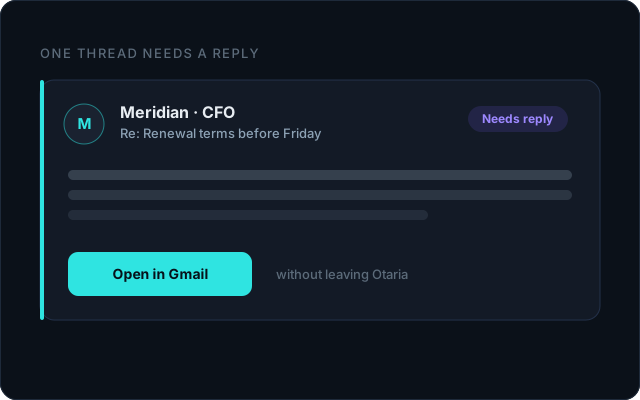
Open the exact email that needs a reply
Otaria takes you straight to the thread, not back to a full inbox.
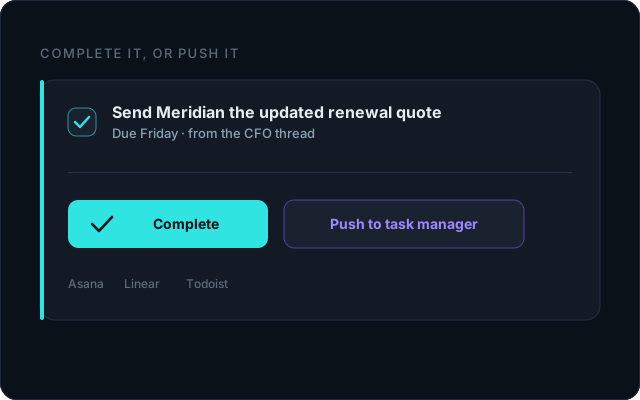
Complete a task, or push it to your task manager
Close it here, or send it to Asana, Linear, or Todoist in one click.
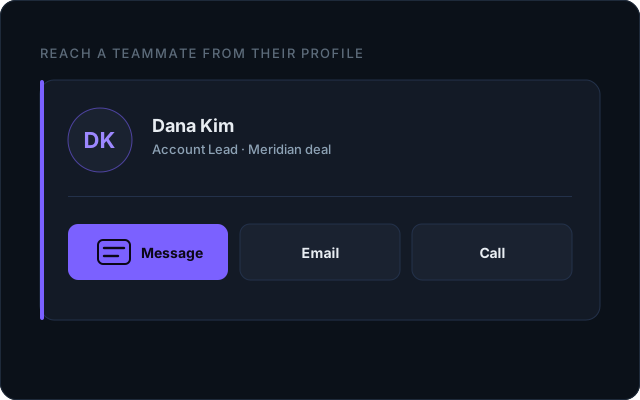
Message a teammate from their profile
Context attached, no app-switch, no copy and paste.
One Command Center, in Practice
Mockups, not live dashboards. Final visuals drop in here.
See your whole stack in one view.
Request access and connect your tools in minutes.